
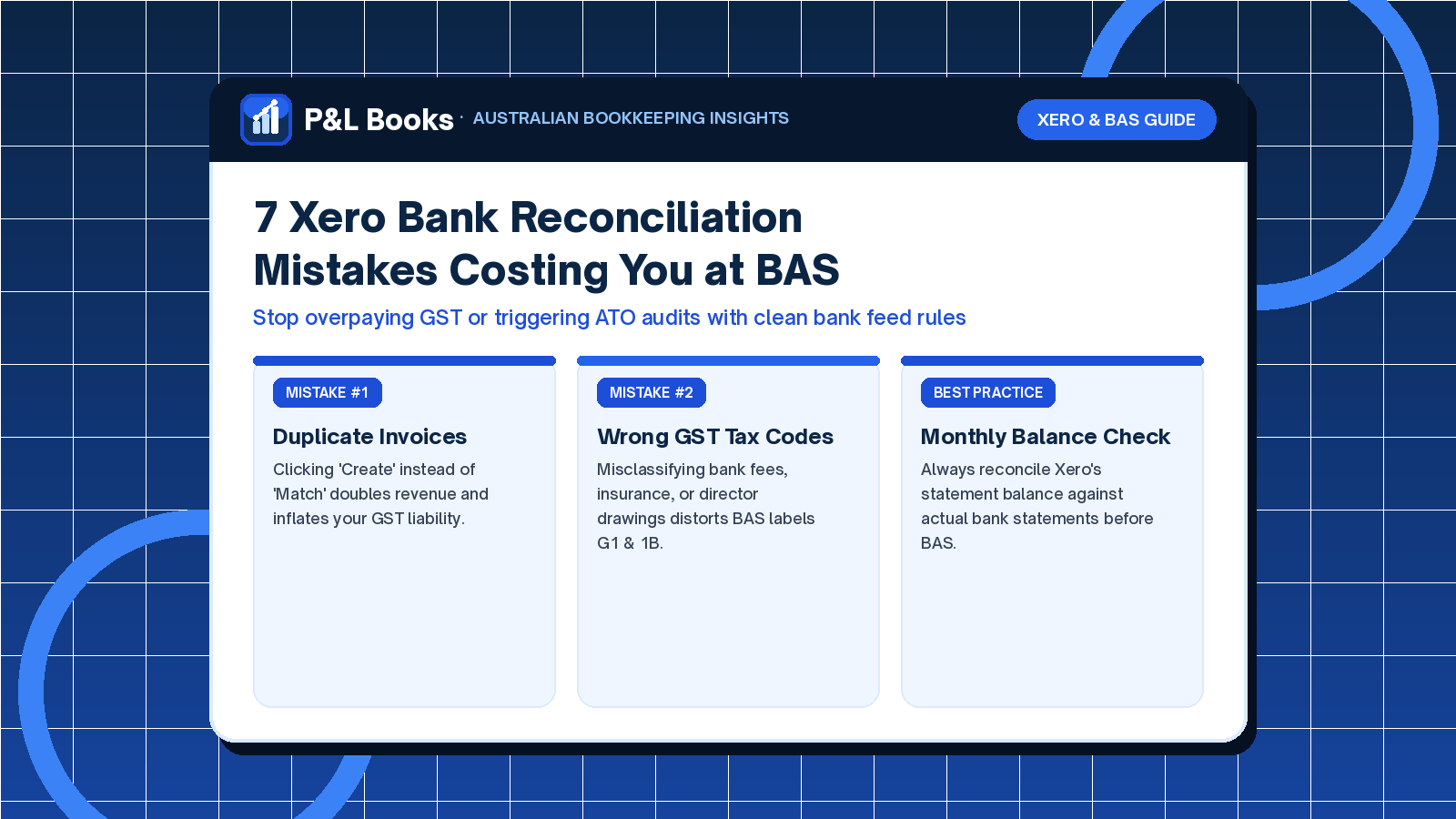
Cloud accounting platforms like Xero have transformed small business administration, yet Xero bank reconciliation mistakes remain the single largest cause of overpaid GST and inaccurate Business Activity Statements (BAS) in Australia. Because Xero’s bank feed interface highlights suggested matches in green and remembers previous coding entries, busy business owners often click “OK” down the screen without verifying the underlying tax rules.
Unfortunately, reconciliations that look tidy on the surface frequently hide duplicated income, unclaimed GST credits, and out-of-balance clearing accounts. In this guide, our Xero bookkeeping specialists break down the seven most expensive reconciliation errors we uncover during pre-BAS audits and show you how to prevent them.
Why Fast Clicking Leads to Costly Xero Bank Reconciliation Mistakes
A bank feed is only a digital mirror of your bank statement; it does not verify whether a supplier is registered for GST or whether a deposit already has an invoice waiting in your ledger. When you reconcile a transaction incorrectly, two problems occur simultaneously. First, your Profit and Loss report becomes distorted, making it impossible to know your true monthly net profit. Second, the Australian Taxation Office (ATO) receives incorrect G1, 1A, and 1B figures on your quarterly BAS.
The 7 Most Common Xero Bank Reconciliation Mistakes in Australia
1. Creating a New Receive Money Entry Instead of Matching an Invoice
When a customer pays an invoice via bank transfer or Stripe, Xero imports the deposit into your bank feed. If the customer pays multiple invoices at once or uses a different reference number, Xero may not auto-match the deposit. If you create a new “Receive Money” transaction instead of using Find & Match, you record the revenue twice. Consequently, you pay an extra 10% GST to the ATO on income you only earned once, while the original customer invoice stays listed as “Overdue” on your Aged Receivables report.
2. Claiming Full GST on Mixed or GST-Free Expenses
Not every business expense in Australia includes 10% GST. Common expenses that are wholly or partially GST-free include:
- Bank fees and merchant interest charges: Most standard bank account fees and loan interest are Input Taxed or GST-Free.
- Motor vehicle registration and insurance: State government stamp duty on vehicle rego and CTP insurance policies frequently contain mixed GST components.
- ASIC company review fees and council rates: Statutory government fees and taxes do not attract GST.
- International SaaS subscriptions: Software billed in USD or from overseas providers without an Australian ABN registration often carries 0% Australian GST.
3. Coding Owner Drawings or Loan Repayments as Business Expenses
One of the most frequent Xero bank reconciliation mistakes involves coding personal cash withdrawals, director drawings, or principal loan repayments to an expense account with GST. Principal loan repayments and owner drawings belong on the Balance Sheet using the BAS Excluded tax code—never on the Profit and Loss statement.
4. Reconciling Without a Valid Tax Invoice Over $82.50
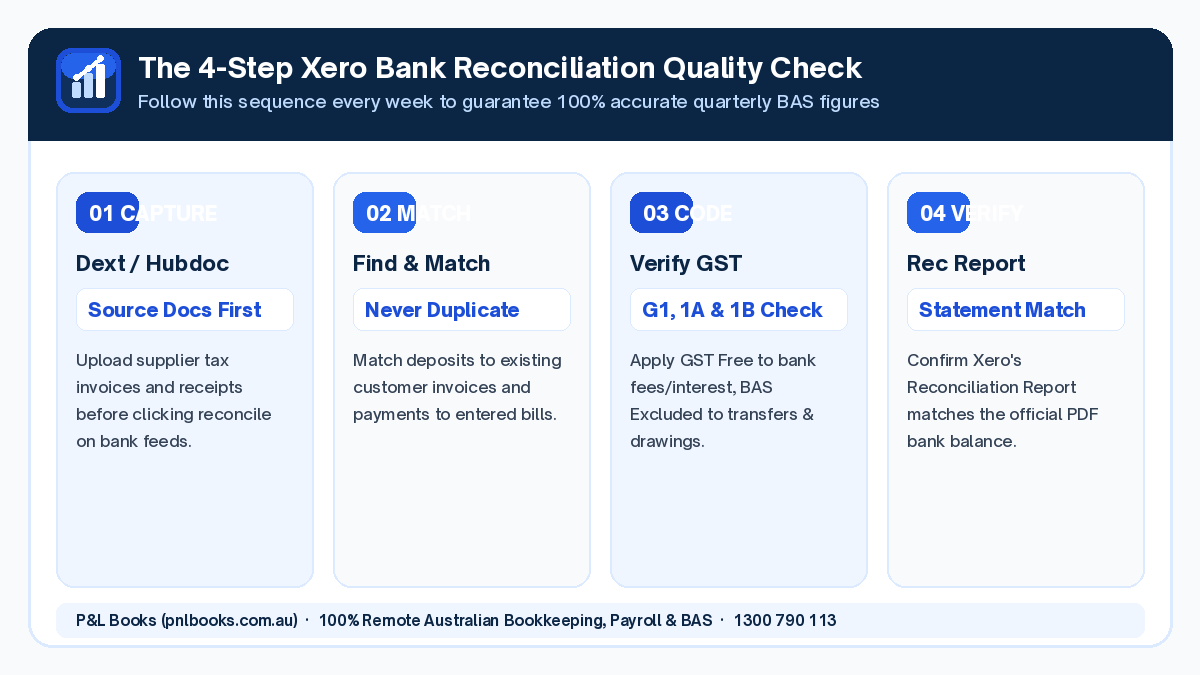
Under ATO record-keeping rules, you cannot legally claim a GST credit on any business purchase over $82.50 (including GST) unless you hold a valid tax invoice. Relying solely on a single line of text on a bank statement will not pass an ATO GST review. Using receipt capture tools like Hubdoc or Dext ensures the supplier’s ABN and GST amount are attached directly to the Xero transaction.
Pro Tip: Check Your Supplier’s GST Status
Many solo subcontractors and micro-suppliers operate below the $75,000 GST registration threshold. Always verify that their invoice explicitly states “Tax Invoice” and shows a GST component before coding the payment as “GST on Expenses” in Xero.
5. Mishandling Inter-Account Bank Transfers
When you transfer money between your business everyday account, your tax savings account, and your business credit card, you must use the Transfer tab in Xero. Coding both sides of a transfer to a Suspense or Clearing account leaves phantom balances on your Balance Sheet.
6. Ignoring Duplicate or Missing Bank Feed Lines
Bank feeds occasionally drop out when security tokens expire or when banks perform weekend maintenance. Before lodging any BAS, you must open Xero’s Bank Reconciliation Summary report and compare Xero’s calculated statement balance against the closing balance printed on your official PDF bank statement. Even a single missing day of transactions will throw off your cash position.
7. Leaving “Remove & Redo” Corrections Until After BAS Lodgement
Deleting or editing reconciled transactions from a previous quarter after the BAS has already been lodged creates discrepancies between your Xero GST Account and your ATO Running Balance Account. Locking your period dates in Xero immediately after each BAS lodgement prevents accidental backdated edits.
How Much Can Clean Xero Bookkeeping Save Your Business?
| Common Error Area | Typical DIY Impact | P&L Books Pre-BAS Audit Result |
|---|---|---|
| Duplicated Sales Deposits | Overpaying $1,500–$4,000 in GST per year | 100% matched to customer invoices |
| Missing Supplier Bills in Dext/Hubdoc | Lost GST input tax credits every quarter | Every eligible 10% GST credit claimed |
| Unreconciled Credit Cards & Loans | Higher year-end accountant clean-up fees | Clean monthly Balance Sheet & P&L |
Let Our Australian Xero Specialists Manage Your Reconciliations
Eliminating Xero bank reconciliation mistakes saves you hours of frustration and protects your cash flow every quarter. At P&L Books, our 100% remote Australian bookkeepers reconcile your bank feeds, verify supplier tax invoices, and prepare accurate BAS schedules from just $65/hr, $74.75/week, or $299/month (including BAS).
When financial year-end arrives, our clean Xero files hand over seamlessly to BN Tax for fast, stress-free company and sole trader tax returns. Request your free Xero health check today or call us on 0480 005 253.